Research workspace · Runs on your computer
Athar
أثر · Arabic for “trace”
Research you can check.
Athar is a desktop workspace where a model works inside your project. Every finding keeps its source: the model, the script and the output files. Calls made with Athar’s packaged tools replay without the AI, and you continue next week from where you stopped.
Private early access
Why a workspace
A chat window forgets. A project keeps the record.
Research runs across files, tools, a cluster and weeks of sessions. A chat with plugins gives you a transcript, and you cannot check a transcript. Athar is a workspace. This is what changes.
| Topic | A chat window with plugins | An Athar project |
|---|---|---|
| Where it runs | In the vendor’s cloud, on the vendor’s model. | On your computer. Local models by default. Claude or OpenAI only when you pick them. |
| What it keeps | A transcript. | Each finding, with the model, the script and the output files. You can export it. |
| How you check a result | Ask the model again. | Run the saved script again. Calls made with Athar’s packaged tools replay with Re-verify, with no AI in the loop. |
| Numbers and conflicts | You look for them. | Athar marks claims the data does not support and lists them under Needs a closer look. You confirm or reject each finding. |
| Your files | Pasted in. Copied out. | Edited in place. Versions are marked Agent or You. Compare and restore. |
| Next week | A new chat. | The next session starts from your questions, findings and open gaps. |
Replay with no AI in the loop works for calls made with Athar’s packaged tools. Other runs, such as a Python script the agent writes, keep their script and outputs on record, and their receipt says Not replayable.
Your paper comes back from review.
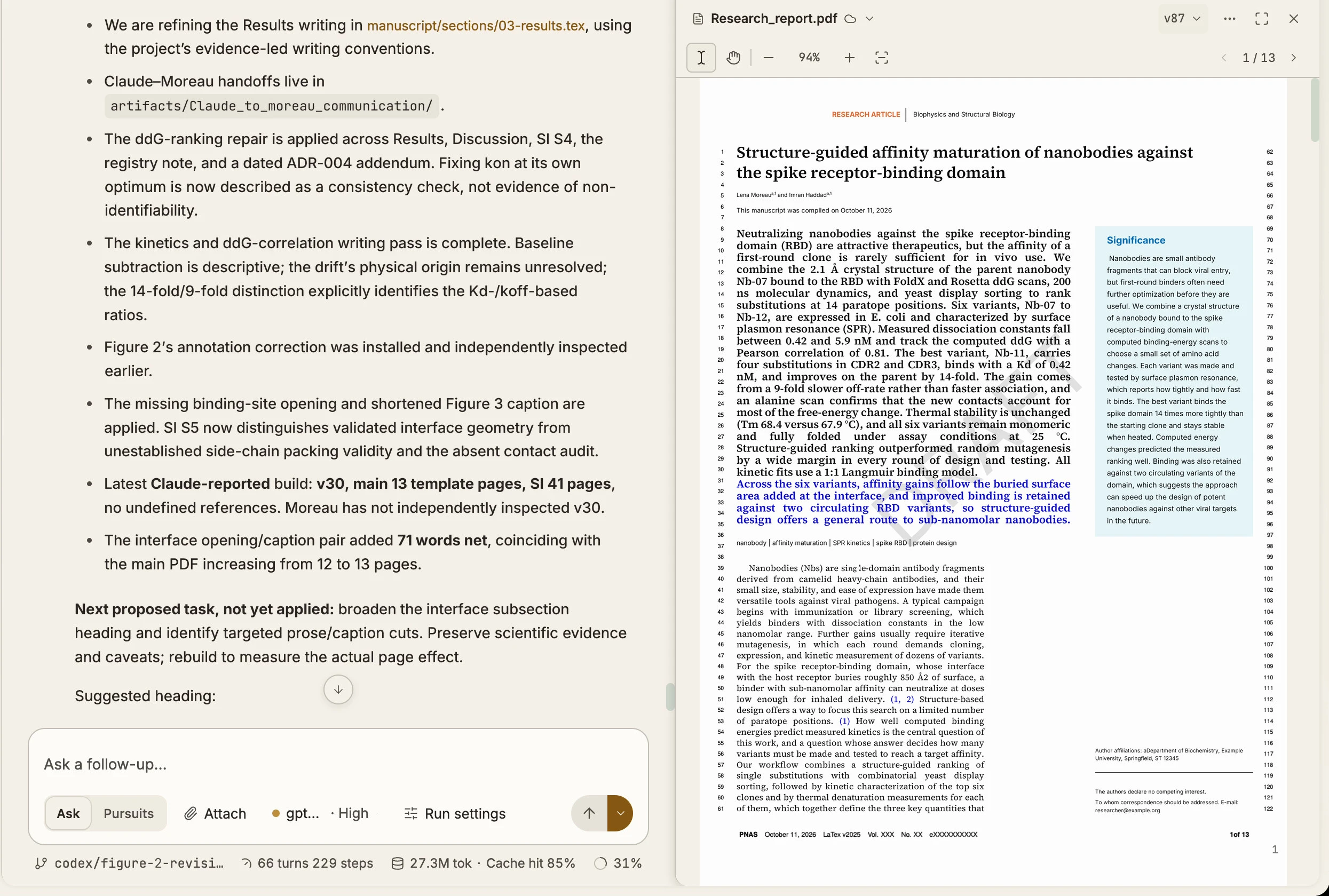
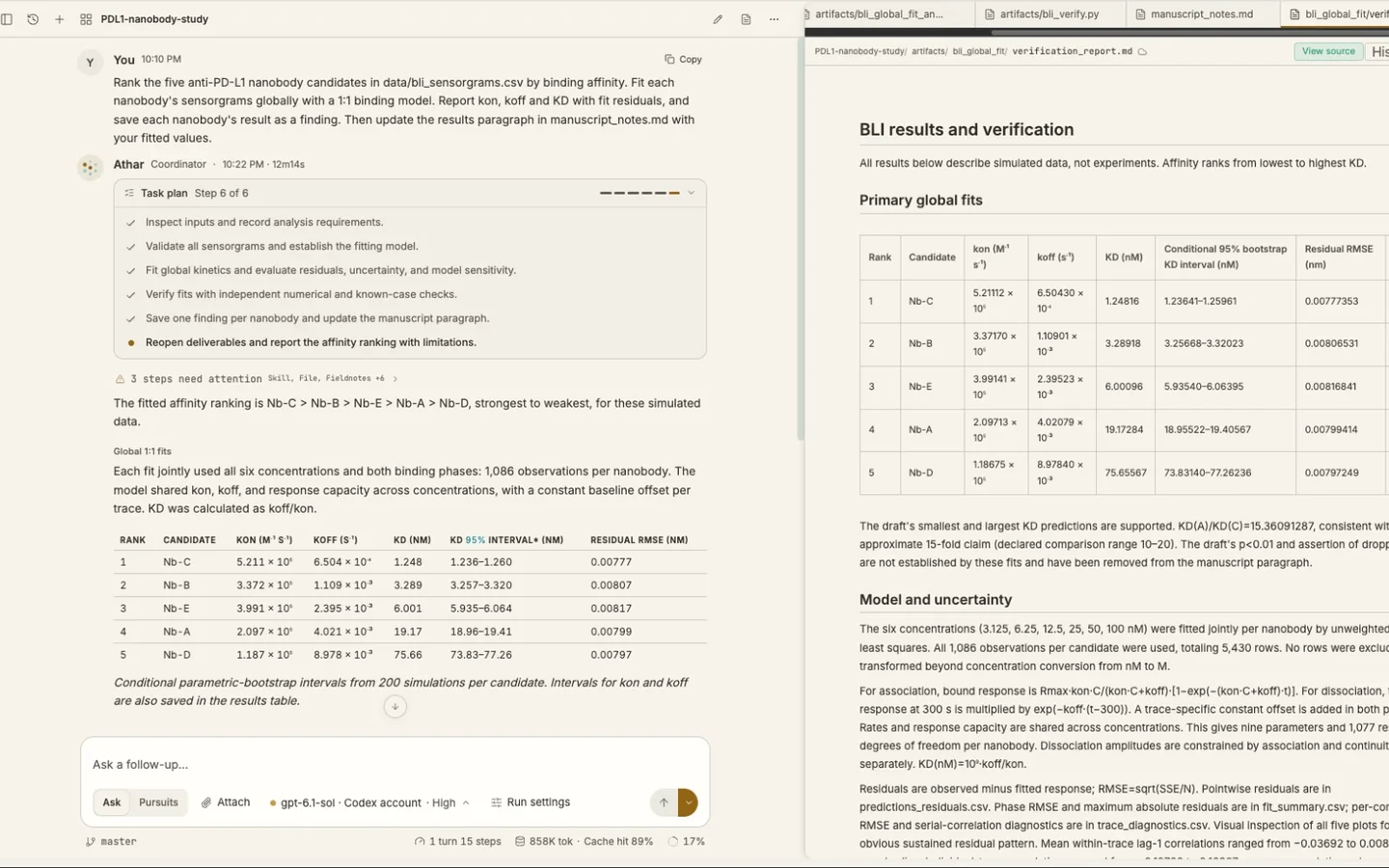
We ran this test in Athar: five anti-PD-L1 nanobodies, simulated binding curves and a draft with one claim the data cannot support. This is what the project kept.
Reviewer 2 · Comment 3
“Nb-C is reported to bind PD-L1 about 15-fold more tightly than Nb-A. How were the affinities computed? Can the authors reproduce them? Also, no statistical test supports the claim of p < 0.01.”
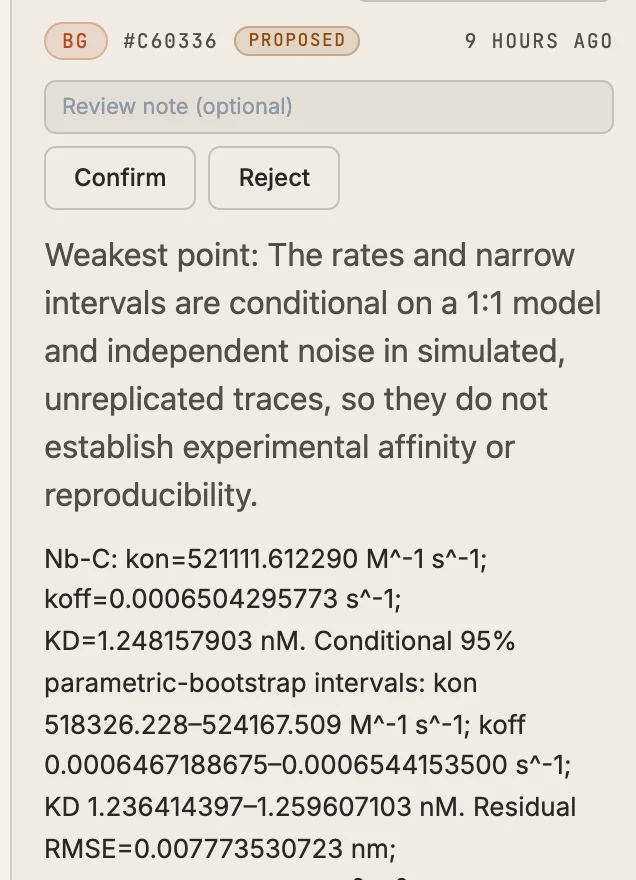
01“How were the affinities computed?”
Open the Nb-C finding
It holds the fitted rates, KD 1.248 nM, the 95% intervals and the fit residuals. It also states its weakest point: one simulated trace per concentration, so no experimental claim.
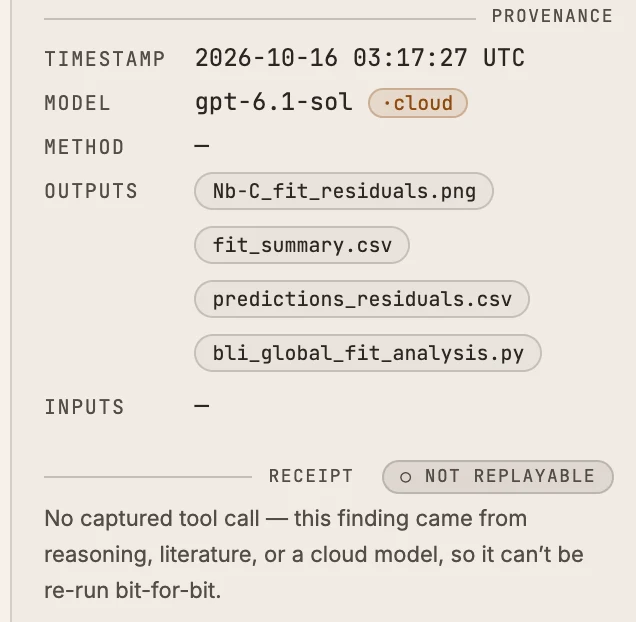
02“Can the authors reproduce them?”
Run the saved script again
The finding keeps the fit script and every output file. This fit ran as a plain Python script, so its receipt says Not replayable. Replay with no AI in the loop works for calls made with Athar’s packaged tools.
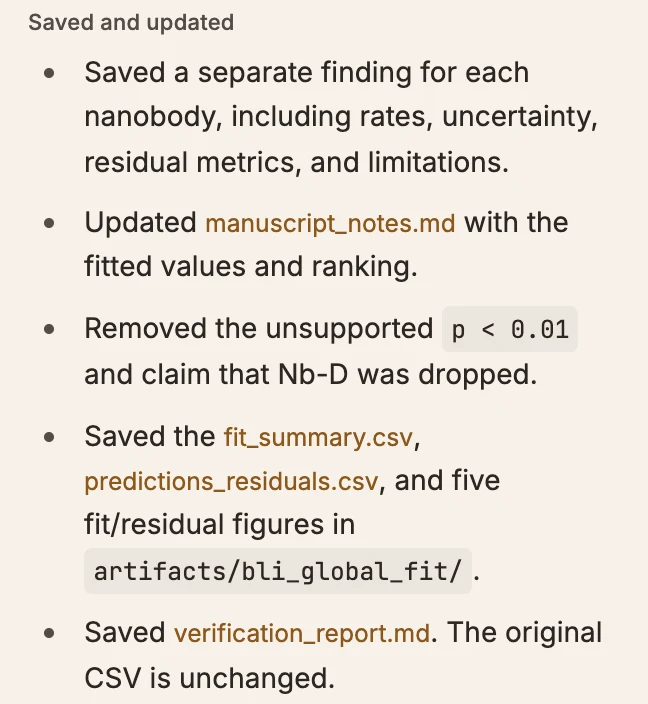
03“No statistical test supports p < 0.01.”
Athar caught it while editing
We asked Athar only to update the results paragraph. It removed the p < 0.01 claim and said why, and At a Glance lists it under Needs a closer look. It also removed a sentence about dropping Nb-D, so check its edits.
A real run in Athar on synthetic data, with the cloud model gpt-6.1-sol. The fitted KD values are within 2% of the values used to simulate the curves.
One study, through Athar
One study, start to finish.
Five anti-PD-L1 nanobodies and 30 simulated binding curves. Follow one question: ask it, check the evidence, then continue.
Benchmark · Terminal-Bench Science
Athar’s mean pass rate across 20 science tasks: 59%.
Across selected passing runs on 12 tasks both agents solved, Athar used 58% of OpenScience’s agent time, 34% of its tokens and 43% of its estimated cost. These totals exclude failed attempts.
Results on 20 science tasks
Different trial policies; see methods below
OpenScienceSelected published runs
AtharMean pass rate
CodexGPT-6 Astra
Claude CodeOpus 5.5
Resources used, 12 tasks both solved
Selected passing runs; failed attempts excluded
Agent time
Tokens
Cost, estimated
These results are not a controlled ranking: trial selection, models, budgets and agent configurations differ. Resource totals exclude failed attempts; costs are estimates, not bills. Read the methods and limits →
In the workspace
Ask a question, or hand over a plan.
Two modes, four permission levels and one record. Plan the work, choose the models, watch your files, use your cluster and edit your manuscript in the same project. The examples use synthetic data and the labels from the app.
01 · Modes
Choose how the agent works.
Use Ask for questions and quick analyses in the chat. Use Pursuits for work with many steps: Athar plans first, and you approve the plan.
Then choose how much the agent does without asking you.
Credentials, SSH keys and shell startup files stay blocked in every mode.
Conversation mode Mode What it does Use it for Ask Discuss in this conversation. Active work continues. Questions, quick analyses, reading Pursuits Plan and track work in this conversation. Work with many steps that you want to control Permissions Setting What it does Use it for Supervised Asks before commands and file changes. A new project, or data you do not know yet Auto-accept edits Approves edits, asks before other actions. Writing and editing files Auto Routine actions run without asking. Python environments still ask once. Long analyses you trust Full access No approval cards for sandboxed work. Commands that need your whole account still ask. Pipelines you know well 02 · Pursuits
Approve the plan before the work starts.
Start a Pursuit and Athar proposes a plan. For each task, set what done means, which model does the work, how the result is checked and who approves it.
Choose when Athar checks with you: at every result, at key decisions or only at the end. Approve the plan, or ask for changes. While it runs, you can pause, stop or resume it.
Pursuit · Proposed5 tasks
1. Design replicated binding assays for all five nanobodies
- Done when
- A sourced proposal picks SPR or BLI, with replication, controls and QC
- Work by
- Opus
- Check the result
- Independent review of the claims
- Who approves
- Athar approves
2. Specify the Nb-C versus Nb-A test and the replicates it needs
- Work by
- GPT-6.1
- Check the result
- Re-run the scripts
- Who approves
- I approve
- Check with me
- At key decisions
Ask for changesApprove plan03 · Models
Several models in one project.
Give a task one model to do the work, and a model from a different family to check it. The checker can re-run the scripts, repeat the method or review each claim against its sources.
When the checker cannot support a claim, the claim stays Proposed and the task waits for you. In a chat, you can also switch models. The new model answers from your next message.
Task 1 · Independent review of the claims
Opus · workSPR design: 24 chips, 68.8 h of SPR time.
GPT-6.1 · checkC28–C30: design, replication and resource maths.
SupportedGPT-6.1 · checkC31: both verification runs passed.
Not checkedPursuitC31 stays Proposed. The task waits for you.
04 · Files
Watch your files change.
The Files panel updates while the agent works. When the agent edits a file you have open, a banner tells you. Show changes opens the diff.
Each file keeps its versions, marked Agent or You. Compare two versions side by side, or restore an older one. One diff shows every change from this chat.
analysis/fit_kd.py
VersionsSide by side
- 10:42
- After assistant turn Agent
- 10:31
- Saved in editor You
- 10:12
- Before assistant turn Agent
05 · Cluster
Use your cluster from the same project.
Add a host from your SSH config. Athar never asks for a key. Probe shows the host’s CPUs, GPUs, Slurm partitions, Conda and modules.
Browse cluster files beside your local files. The agent runs commands and submits Slurm jobs only after you approve, and it logs each job it submits in the project. Ask the agent for the status of a job.
Work you approve runs on the cluster as you, outside Athar’s sandbox. Cluster browsing is read-only and never syncs files.
SSH hosts · hpc-loginProbe
- Slurm
- Partitions gpu, cpu, long
- GPUs
- 4 × A100
- Conda
- Found
- Modules
- Found
Remote execution approval
sbatch fit_variants.slurmon hpc-loginDenyAllow for this conversationAllow once06 · Manuscripts
Annotate the paper. The agent edits it.
Open the PDF beside the chat. Select a passage, press ⌘I and write what should change. Add more annotations to the queue, then send them to the agent as one batch.
The agent edits the manuscript source. The file’s versions show what changed.
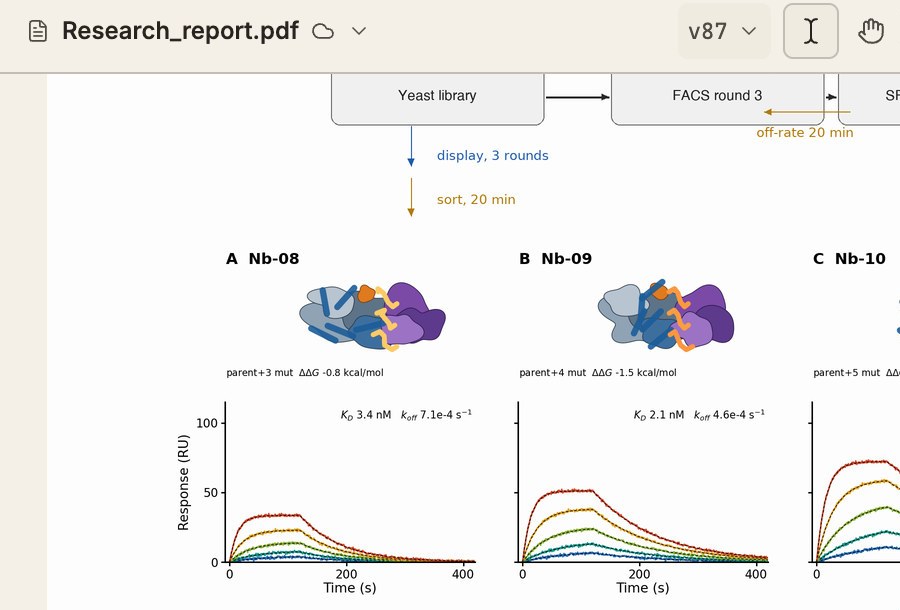
Annotations (2)
- p. 4 · “strongly enhanced”
- State the fold change and the number of replicates.
- p. 6 · Figure 3 caption
- Name the fit model.
Review batch in composerSend to agent now
Across sessions
The next session starts from the record.
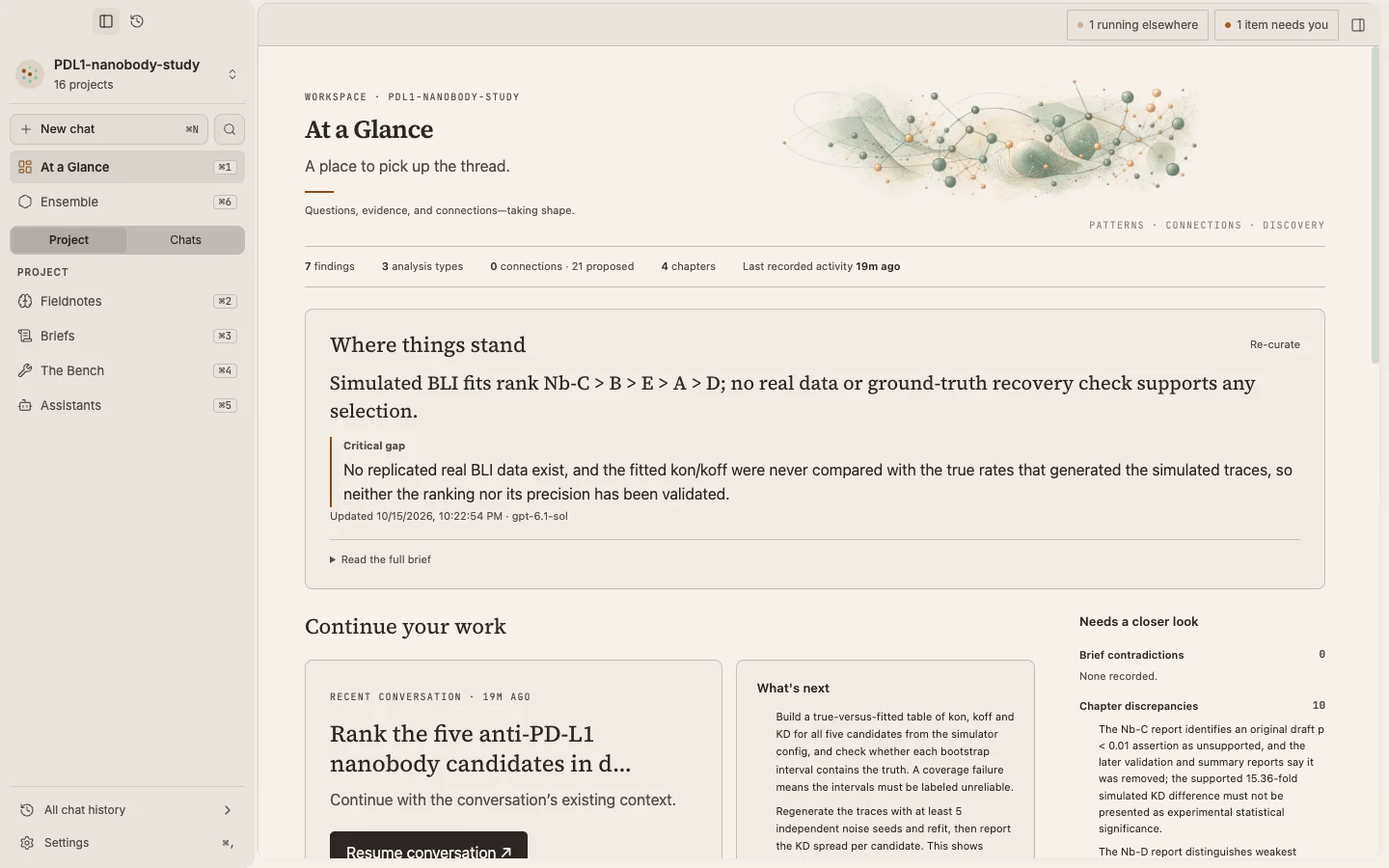
Research questions, findings and the links between them carry across sessions. A new session starts from them, not from a blank chat. Shown: the real app with the synthetic anti-PD-L1 study. Assistants, The Bench and Connections come from another sample project. Screens may change before release.
Pick up where you stopped.
See the latest findings, the claims that need a closer look and the project record, then resume the conversation.
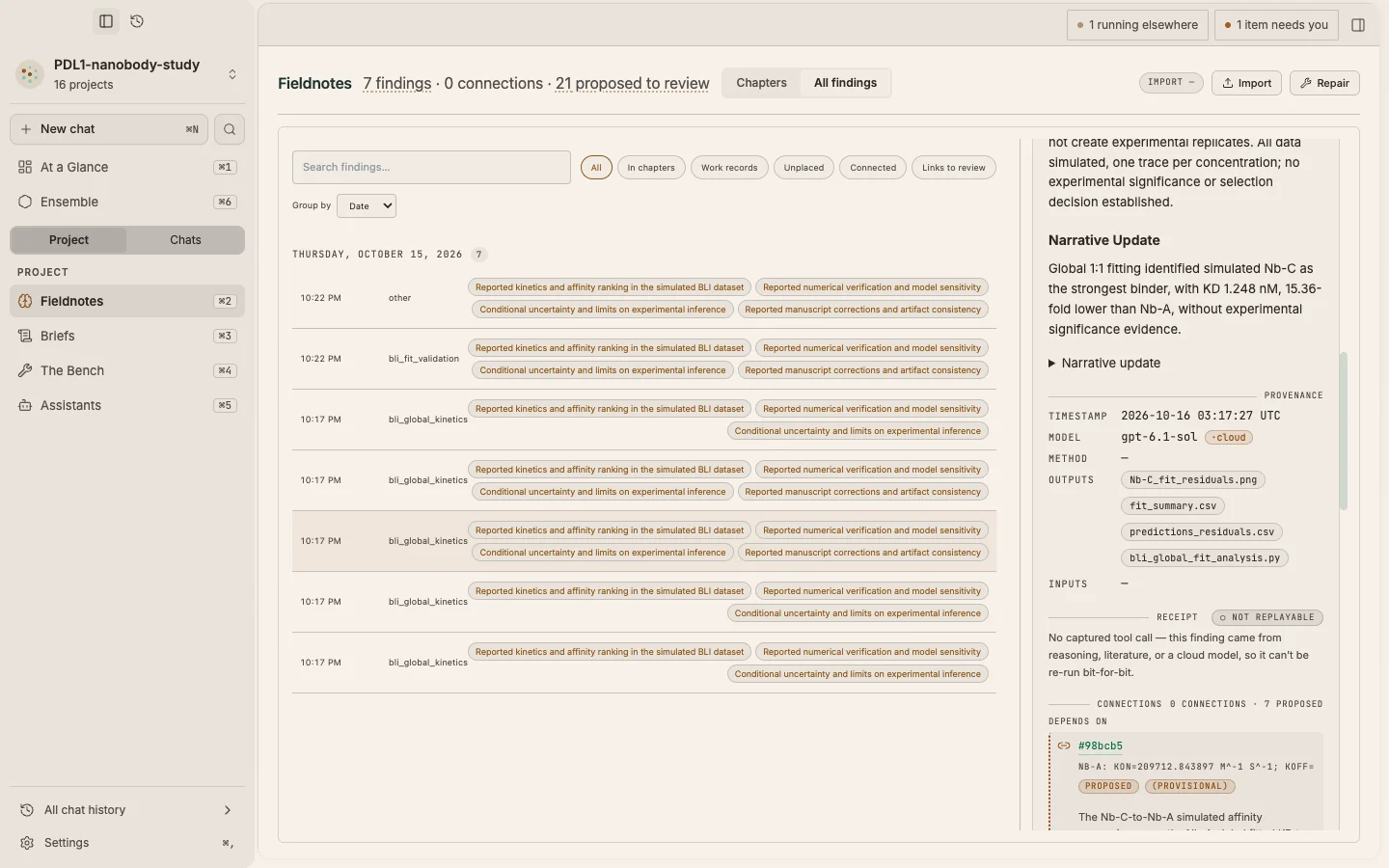
Every finding, with its record.
Open a finding to see its model, its outputs and its receipt. If a packaged tool made the finding, Re-verify runs it again.
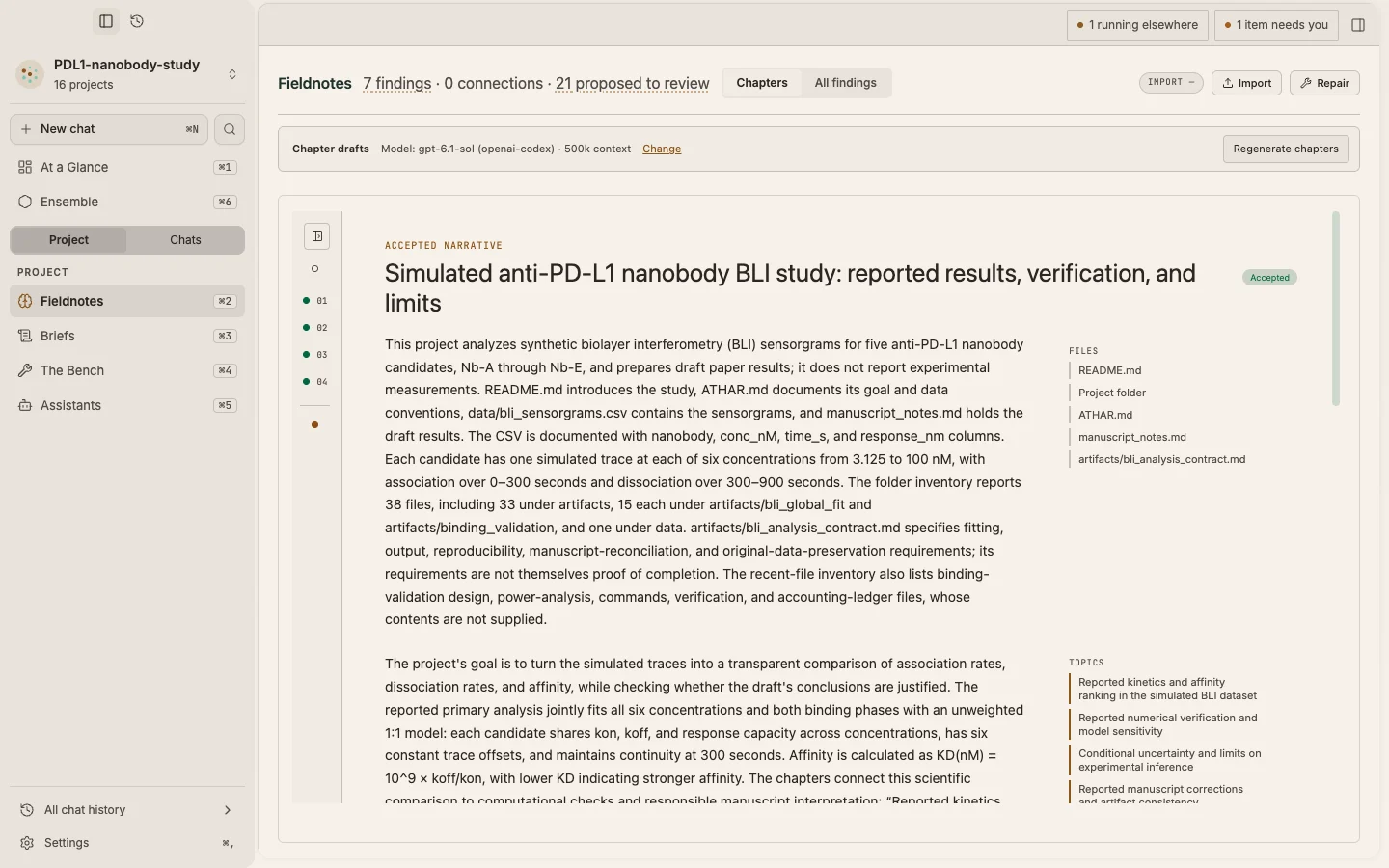
Findings, ordered into chapters.
Athar groups findings by research question, with the links and the discrepancies between them. You accept a chapter before it counts.
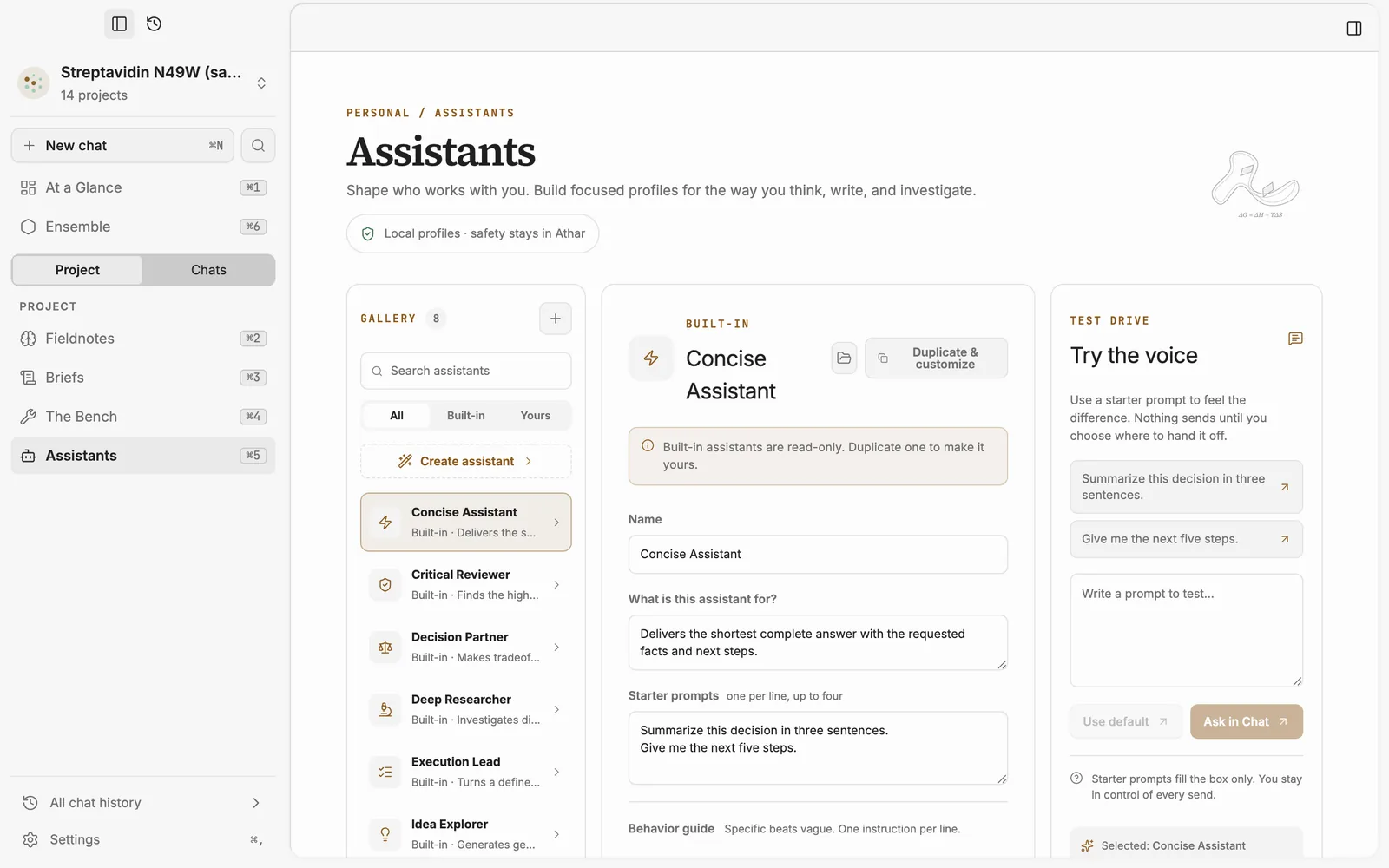
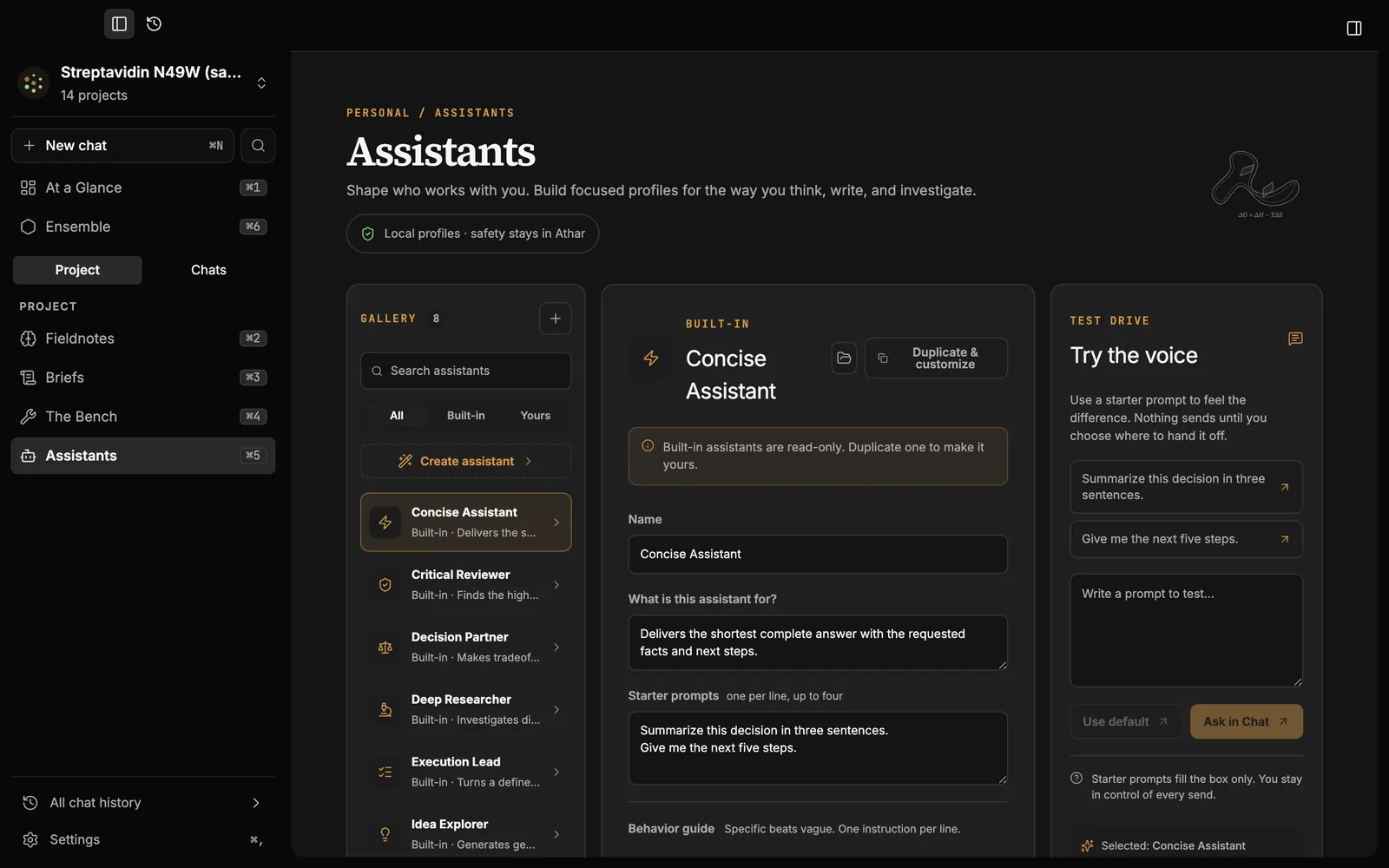
Built-in assistants, or your own.
Choose a built-in assistant, or duplicate and edit one. Test it before you use it in a chat.
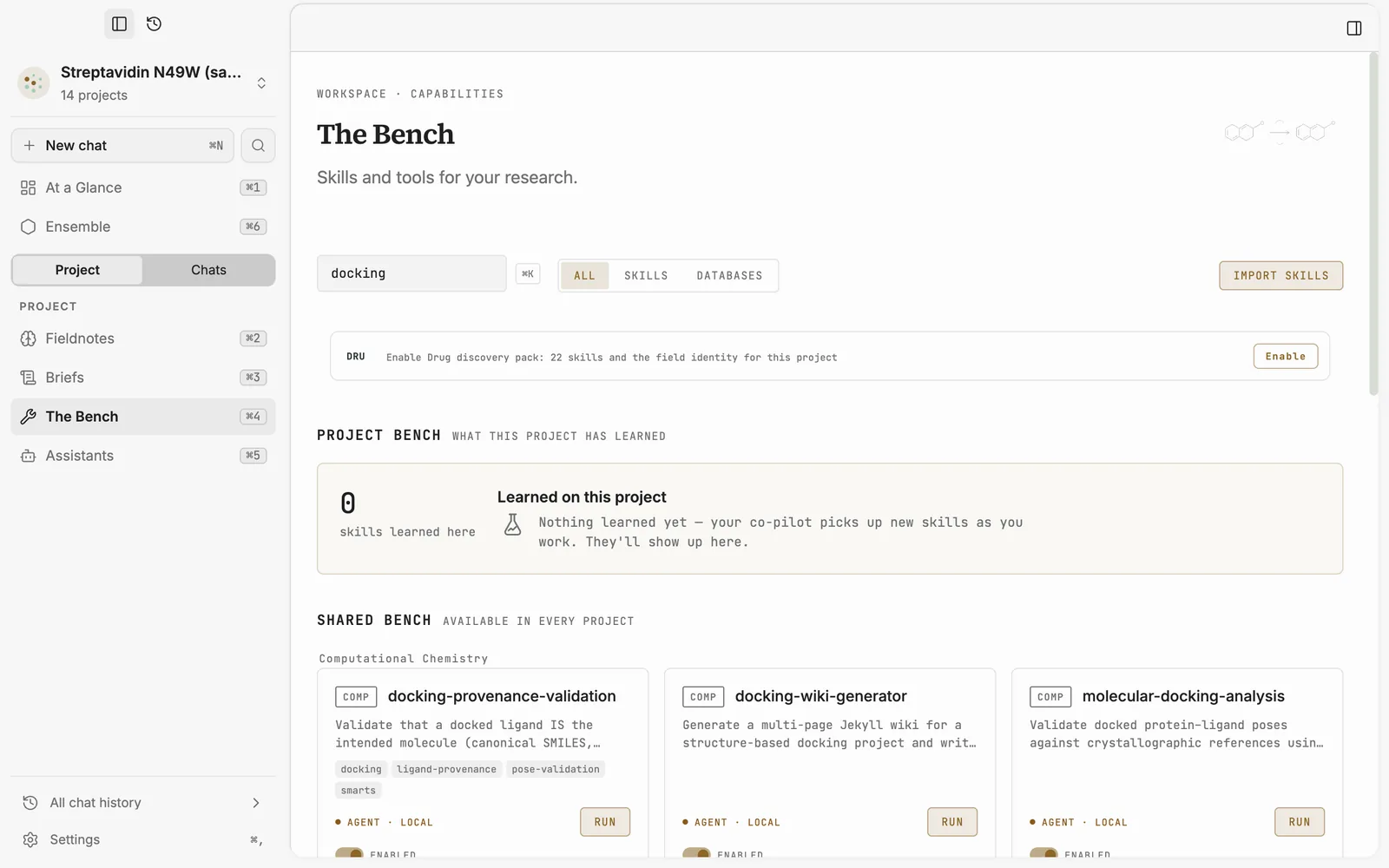
Skills and tools for your research.
See the skills a project has learned and the tools available in every project.
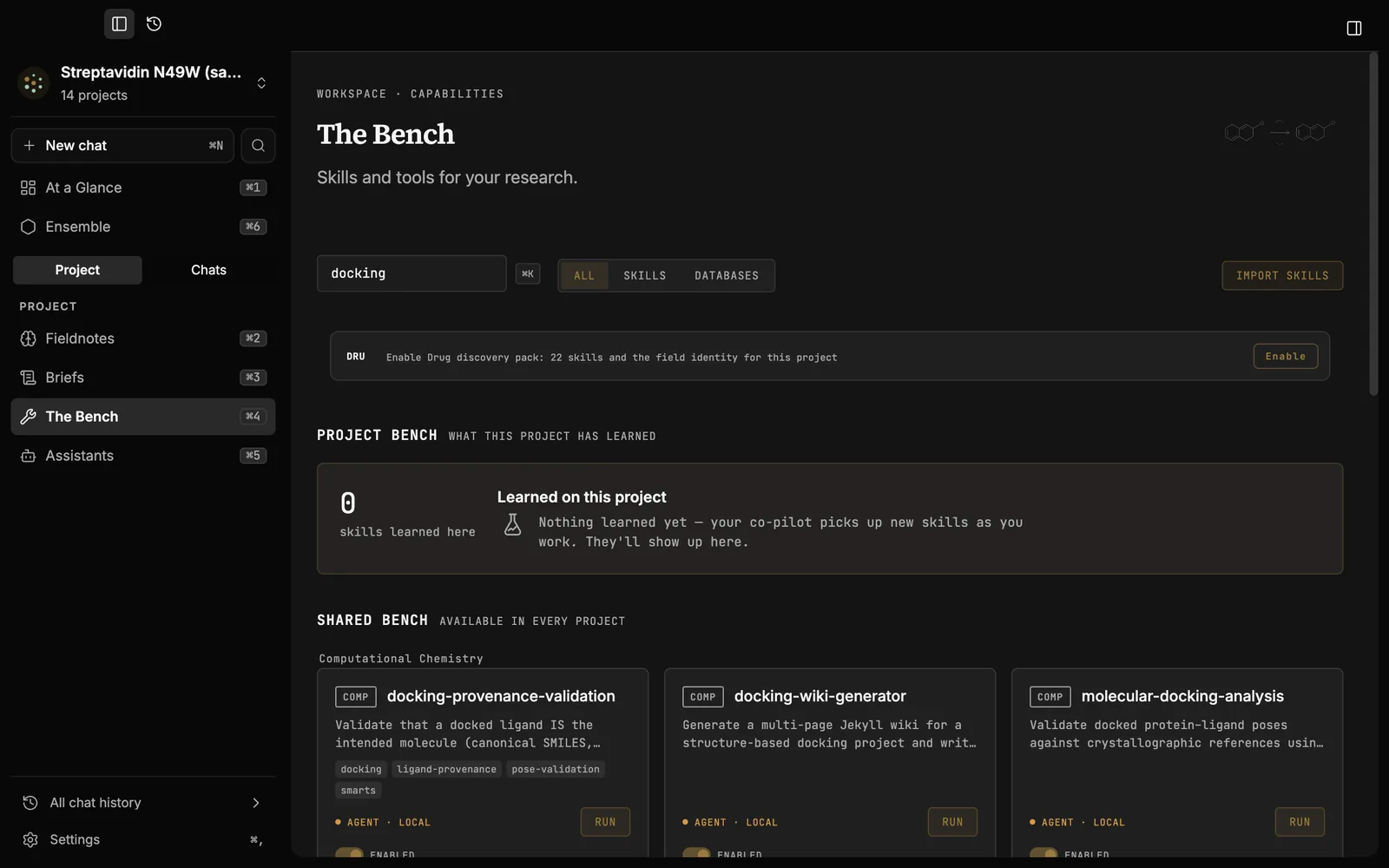
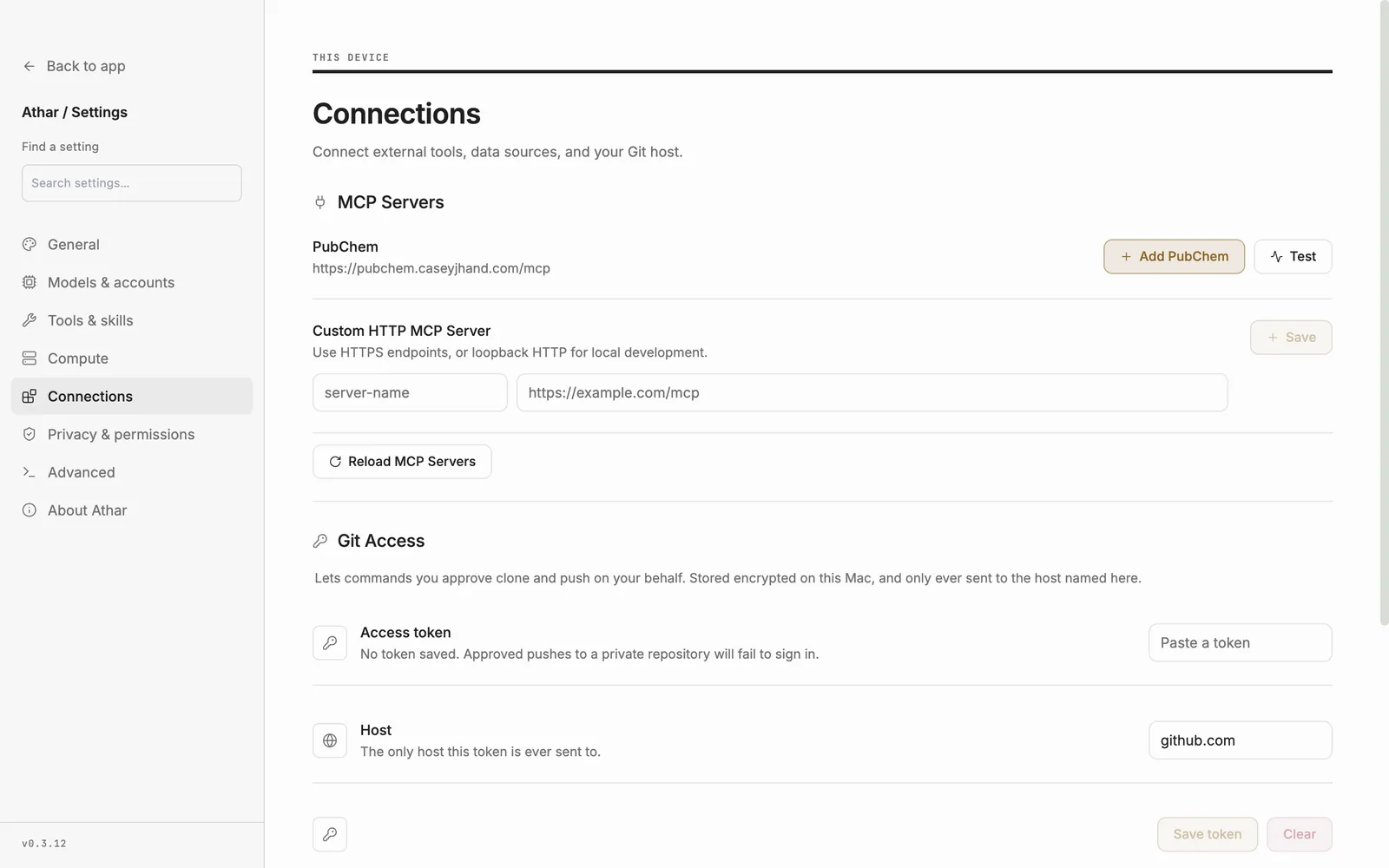
Your data sources and Git host.
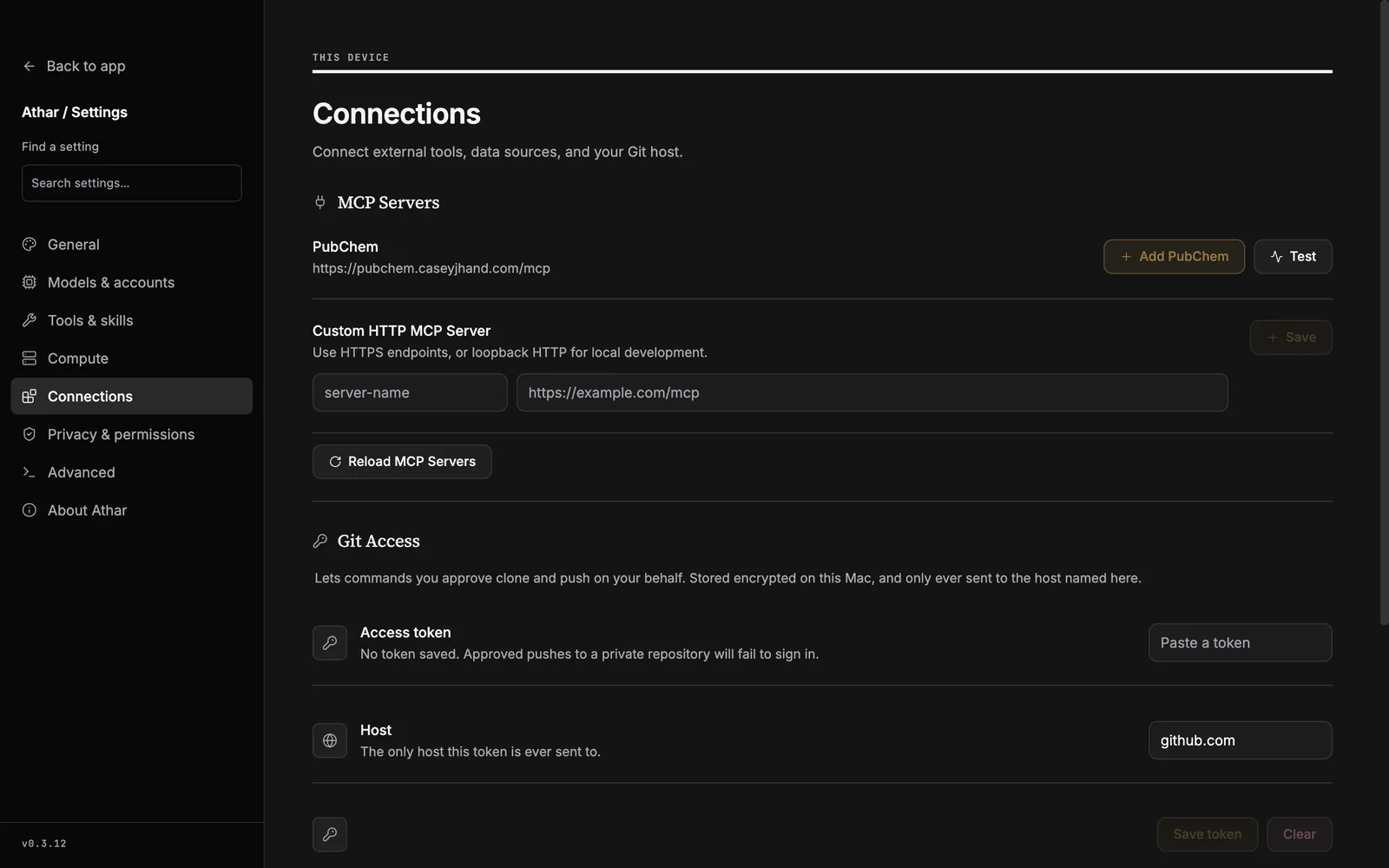
Add the PubChem server, or any MCP server you reach over HTTPS, and test it on the same page. The agent can then use these data sources in your project.
Save a Git token, and commands you approve can clone and push for you. Athar keeps the token encrypted on your Mac and sends it only to the host you name.
Getting started
Three steps to your first checked finding.
Open a project folder.
Privacy Mode is on by default. Local models run on your computer. Add a Claude or OpenAI model only if you want one.
Ask a question.
Athar reads your files, runs tools and saves each finding with its sources. Open any finding to see the model, the script and the outputs behind it.
Continue, or hand over a plan.
Accept a chapter when the findings hold. Start a Pursuit when you want Athar to run a plan. For each task, set Done when, Work by, Check the result and Who approves.
- Local models on your computer
- Claude models
- OpenAI models
- MCP servers, such as PubChem
- Git
- SSH hosts and Slurm clusters
- PDFs, figures and project files
- Python packages and tools
Resources
Read more.
Questions
Frequently asked questions.
Is Athar a new AI model?
No. Athar is a workspace. It runs local models by default, and Claude or OpenAI models when you pick them. The record belongs to the project, not to a model.
Does my data leave my computer?
Not by default. Privacy Mode blocks cloud calls. Data leaves your computer only when you pick a cloud model. Credentials and SSH keys stay blocked at every permission level.
What does Re-verify do, and what can it not replay?
Re-verify replays calls made with Athar’s packaged tools, with no AI in the loop. Other runs, such as a Python script the agent writes or a terminal command, keep their script and outputs on record, and their receipt says Not replayable. You can run that script again yourself. Replication by a model from a different family happens in Pursuits.
What can the agent change without asking?
You choose: Supervised, Auto-accept edits, Auto or Full access. Credentials and SSH keys are always blocked. Commands that need your whole account still ask.
What happens when the worker and the checker disagree?
The task stops and waits for you. The checker is a model from a different family, and it can re-run the scripts, repeat the method or review each claim against its sources.
Does Athar decide what is true?
No. Athar shows you the evidence and marks claims the data does not support. Each finding stays Proposed until you confirm or reject it. You decide what to trust and what to build on.
Can Athar use my cluster?
Yes, through the SSH hosts in your SSH config. Athar never asks for a key. You can browse cluster files read-only. The agent runs commands and submits Slurm jobs only after you approve, and that work runs as you, outside Athar’s sandbox.
What does the benchmark show?
A mean pass rate of 59% across 20 Terminal-Bench Science tasks. On the 12 tasks both solved, Athar used less agent time, fewer tokens and a lower estimated cost than OpenScience. It is not a controlled ranking.
How do I get it?
Athar is in private early access. Request access below.
Try Athar on your own research.
Your files stay on your computer. Every finding keeps its record. أثر, Athar, is Arabic for “trace”.
Private early access. We will tell you what Athar records before you install it.